Smart Grocery List: How to Merge Duplicates Automatically
Meal prepping and trying out new recipes is incredibly rewarding, until you sit down to write the shopping list.
If you are planning three or four different meals for the week, you quickly run into the “Ingredient Math Problem.” Recipe A calls for 2 cloves of garlic. Recipe B needs 3 cloves. Recipe C asks for a whole bulb. Suddenly, your handwritten note has “garlic” scribbled down in three different places, or you are doing frantic mental math to figure out exactly how much to buy.
The solution? A smart grocery list that merges duplicates automatically. Here is why this feature is a total game-changer for your weekly shopping routine and how it transforms the way you cook.
The Frustration of the Fragmented Shopping List
When you copy ingredients from multiple recipes onto a standard notepad or a basic notes app, two things usually happen:
- The Over-Purchase (Food Waste): You lose track of the total amounts, buy way too much, and end up throwing away spoiled food at the end of the week.
- The Grocery Store Backtrack: You check off “onions” in the produce aisle, only to realize three aisles later that onions were listed again further down your text file.
Manually consolidating a list takes time, and let’s face it—in 2026, we shouldn’t be doing manual data entry for a simple dinner.
Enter PlateParrot: The Smart Grocery List That Thinks For You
PlateParrot was built specifically to eliminate this chaos. Instead of treating your recipes and your shopping list as two separate things, it fuses them together seamlessly.
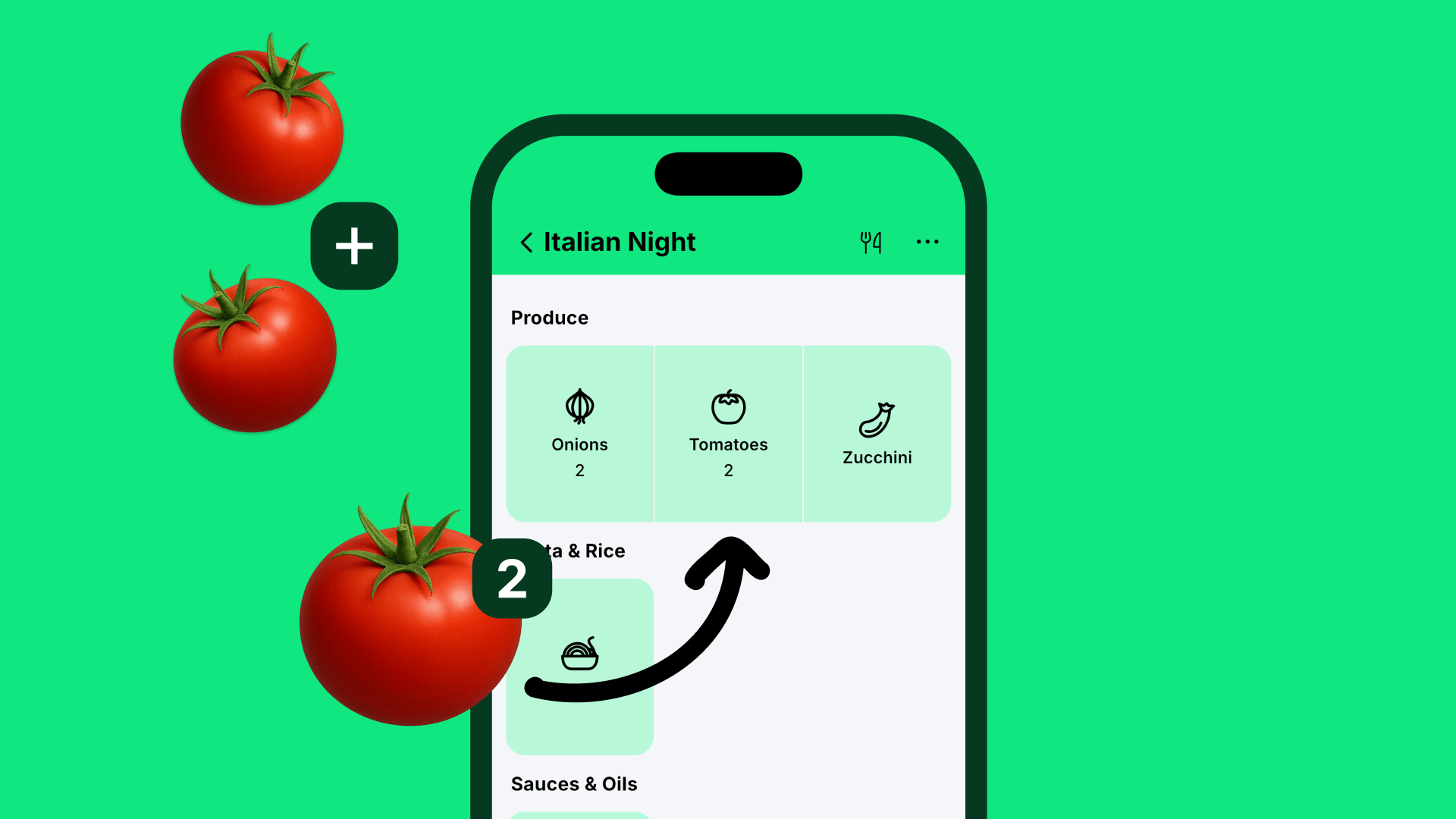
When you select the dishes you want to cook, PlateParrot instantly reads the ingredients and builds one master list.
How the Automatic Ingredient Merger Works
It’s not just about finding identical words; it’s about understanding data. PlateParrot’s smart algorithm works in the background to streamline your shopping experience:
- Detects Names, Quantities, and Units: The app doesn’t just see text; it understands that “200g of tomatoes” and “500g of tomatoes” belong together.
- Instant Consolidation: It automatically merges those duplicates into a single, clean line item (e.g., “700g tomatoes”).
- Smart Conversion: No matter how the original recipe wrote it down, the app cleans up the formatting so it’s easy to read while you are pushing a shopping cart.
The Result: You buy exactly what you need. No more accidental double-purchases, no more food waste, and absolutely zero mental math.
Beyond Merging: Organized by Store Sections
An automatic grocery list merger is incredibly powerful, but PlateParrot takes efficiency a step further. Once your duplicate ingredients are combined, the app instantly sorts your entire list by store sections.
All your merged vegetables stay in the produce section. All your combined dairy items stay in the refrigerated aisle. You move through the supermarket in one smooth, continuous flow without ever walking in circles.
Conclusion: Stop Combining Lists Manually
Your time is valuable, and grocery shopping shouldn’t feel like a math test. If you are ready to experience the ultimate upgrade to your kitchen workflow, it’s time to ditch the generic notes app.
Let PlateParrot do the heavy lifting. Turn all your favorite recipes into one clean, smart shopping list with zero duplicate ingredients.
FAQ
What happens if I manually add items to the list?
If you add “Milk” manually on top of your recipes, PlateParrot recognizes it and simply adds your manual entry to the total amount required by the recipes.
Does the app understand different units like grams and kilos?
Absolutely. If one recipe needs 800 grams of flour and another needs 0.5 kilos, the app calculates it cleanly and shows you a clear “1.3 kg flour” at the end.
What if I change portions at the last minute?
The grocery list updates live. If you increase a recipe from 2 to 4 people, the required amount on your list automatically doubles without you having to recalculate anything.